Mini PC: The Complete Guide to Small, Powerful & Affordable Computers
Introduction
The traditional desktop computer has long been a familiar part of homes, offices, schools, and businesses. However, computers are becoming smaller, more energy-efficient, and increasingly powerful. One of the most interesting developments in this trend is the Mini PC.
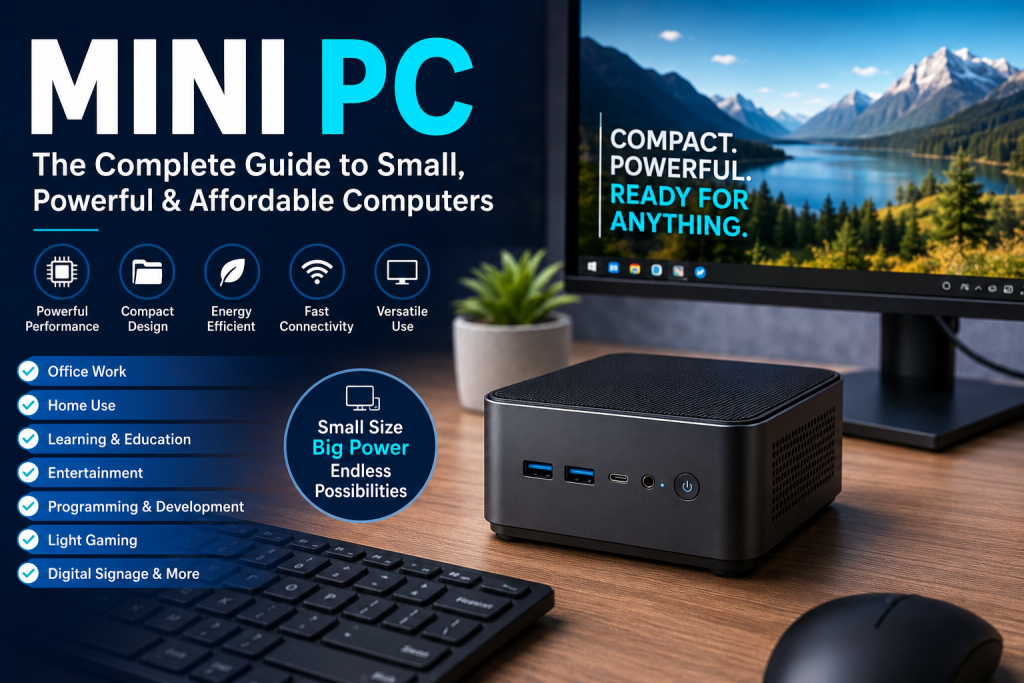
A Mini PC is a compact computer that delivers many of the functions of a traditional desktop while occupying significantly less space. Despite their small size, modern Mini PCs can handle everyday computing, office productivity, entertainment, programming, content creation, digital signage, education, and even some types of gaming.
Mini PCs are particularly attractive to people who want a clean and minimalist workspace. They can easily fit beside a monitor, under a desk, or in a small entertainment setup.
In this comprehensive guide, we will explore what a Mini PC is, how it works, its major features, advantages and disadvantages, common uses, important specifications, and what you should consider before buying one.
What Is a Mini PC?
A Mini PC is a small-form-factor personal computer designed to provide desktop-like computing capabilities in a compact body.
Unlike laptops, Mini PCs generally do not include a built-in display, keyboard, touchpad, or battery. They are normally connected to an external monitor or television along with a keyboard and mouse.
Mini PCs come in different sizes and performance levels. Some models are designed primarily for basic tasks such as web browsing and office applications, while more powerful models can handle programming, professional workloads, multimedia production, and gaming.
The basic concept is simple:
Small size + desktop functionality + low power consumption = Mini PC
How Does a Mini PC Work?
A Mini PC works in much the same way as a conventional desktop computer.
It contains essential components such as:
- Processor (CPU)
- Graphics processor (integrated or dedicated)
- RAM
- SSD or other storage
- Motherboard
- Wi-Fi and Bluetooth
- USB ports
- HDMI or DisplayPort
- Ethernet connectivity
- Operating system
You connect the Mini PC to a monitor or TV, attach a keyboard and mouse, connect power, and then use it like a regular computer.
Some Mini PCs can also support multiple monitors, allowing users to create a professional multi-screen workstation.
Key Features of Modern Mini PCs
Mini PCs have evolved significantly over the past few years. Many current models provide features that were once associated mainly with full-sized desktop computers.
1. Compact Design
The most obvious advantage is the small form factor.
A Mini PC can often fit comfortably:
- Behind a monitor
- On a small desk
- Under a desk
- Inside an entertainment cabinet
- In a reception area
- In a classroom
- In a retail store
This makes Mini PCs ideal for environments where desk space is limited.
2. Powerful Processors
Modern Mini PCs can use processors from major CPU families, including Intel and AMD platforms. Depending on the model, you may find processors designed for basic productivity as well as high-performance computing.
A more powerful CPU is useful for:
- Video editing
- Programming
- Multitasking
- Virtual machines
- Photo editing
- Gaming
- Professional applications
3. SSD Storage
Most modern Mini PCs use solid-state drives rather than traditional mechanical hard drives.
SSDs provide:
- Faster boot times
- Faster application loading
- Better responsiveness
- Lower noise
- Lower power consumption
NVMe SSDs can provide particularly fast storage performance.
4. Expandable RAM
Some Mini PCs allow users to upgrade RAM after purchase.
This can be important if you plan to use the computer for multitasking or professional applications.
For general use, 8GB may be sufficient for basic workloads, while 16GB or more can provide a better experience for demanding multitasking.
5. Multiple Connectivity Options
Despite their compact size, many Mini PCs include a wide range of ports.
Common options include:
- USB-A
- USB-C
- HDMI
- DisplayPort
- Ethernet
- 3.5mm audio
- Wi-Fi
- Bluetooth
The exact port selection varies by model.
Why Should You Buy a Mini PC?
There are several reasons why Mini PCs have become popular.
1. Space Saving
A conventional desktop tower can occupy a significant amount of desk or floor space.
A Mini PC can eliminate much of that bulk.
If you have a small desk, bedroom office, classroom, or compact workspace, a Mini PC can be an excellent solution.
2. Lower Power Consumption
Mini PCs are generally designed around energy-efficient components.
Compared with many traditional desktop towers, a Mini PC can consume considerably less electricity, especially during everyday tasks.
This can be useful for:
- Home offices
- Small businesses
- Schools
- Internet kiosks
- Digital signage
- Always-on systems
3. Quiet Operation
Many Mini PCs use efficient cooling systems and some models operate very quietly.
This makes them suitable for environments where noise is undesirable, such as bedrooms, libraries, offices, and study rooms.
4. Easy to Carry
Although Mini PCs are not designed primarily as portable computers like laptops, their small size makes them relatively easy to move.
You can move a Mini PC between workspaces without carrying a large desktop tower.
5. Clean Workspace
A Mini PC can help create a minimalist desk setup.
For example, you can mount the computer behind a monitor and keep only the display, keyboard, and mouse visible.
Mini PC vs Traditional Desktop PC
The biggest difference between a Mini PC and a traditional desktop is size.
| Feature | Mini PC | Traditional Desktop |
|---|---|---|
| Size | Very compact | Larger |
| Power consumption | Usually lower | Usually higher |
| Portability | Relatively easy | Difficult |
| Upgrade options | Often limited | Usually extensive |
| Cooling | Compact | Larger cooling systems |
| Graphics options | Often integrated | More dedicated GPU choices |
| Desk space | Minimal | More |
| Gaming potential | Model dependent | Usually better |
| Expandability | Limited to moderate | High |
A traditional desktop is generally better for users who require maximum upgradeability and high-end graphics performance.
A Mini PC is better suited to users who prioritize compactness, efficiency, and convenience.
Mini PC vs Laptop
At first glance, a Mini PC and laptop may seem similar because both can use efficient mobile-style processors. However, they serve different purposes.
A laptop includes:
- Display
- Keyboard
- Touchpad
- Battery
- Built-in speakers
A Mini PC usually requires:
- Monitor
- Keyboard
- Mouse
- External speakers if needed
The advantage of a Mini PC is that you can choose your own display and peripherals.
If you already own a monitor, keyboard, and mouse, buying a Mini PC can be an attractive way to upgrade your computing setup.
What Can You Use a Mini PC For?
One of the biggest strengths of Mini PCs is their versatility.
1. Office Work
A Mini PC can be an excellent office computer for tasks such as:
- Microsoft Office
- Google Workspace
- Web browsing
- Video conferencing
- Accounting software
- Document management
- Printing and scanning
For many office workers, a high-end desktop computer may be unnecessary.
2. Home Computing
A Mini PC can serve as a general-purpose family computer.
It can be used for:
- Browsing the internet
- Watching videos
- Online shopping
- Social media
- Online classes
- Document editing
- Video calls
Its small footprint makes it particularly useful in smaller homes.
3. Online Education
Mini PCs can also be useful for students and teachers.
They can support:
- Online classes
- Educational websites
- Research
- Microsoft Office
- Programming
- Presentations
- Digital learning platforms
When connected to a large monitor or television, a Mini PC can become an affordable learning station.
4. Programming and Development
Developers can use Mini PCs for:
- Web development
- Software development
- Coding
- Database management
- Linux development
- Server applications
- Testing environments
For programming workloads, choosing sufficient RAM and a capable processor is important.
5. Home Entertainment
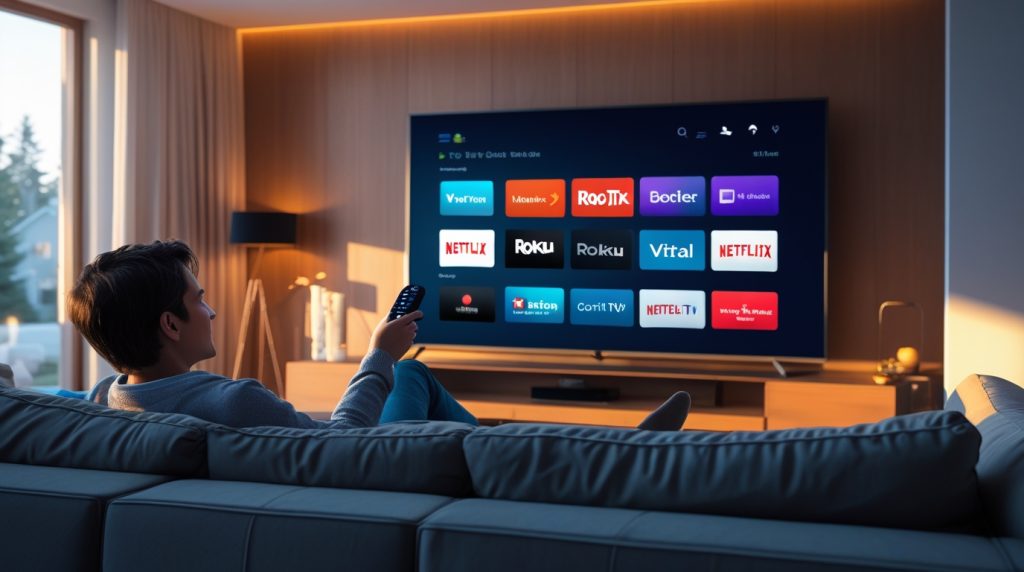
A Mini PC can be connected directly to a television and used as a compact entertainment computer.
Possible uses include:
- Streaming services
- YouTube
- Local video playback
- Music
- Web browsing
- Photo viewing
This can turn a regular TV into a flexible computing and entertainment system.
6. Home Server
Some Mini PCs are suitable for lightweight home-server applications.
Depending on the hardware and software, they can be used for:
- File storage
- Local media servers
- Home automation
- Network services
- Backup systems
- Development servers
However, server use requires careful consideration of storage, cooling, networking, reliability, and operating system support.
7. Digital Signage
Businesses can use Mini PCs to power displays in:
- Restaurants
- Hotels
- Shopping malls
- Schools
- Hospitals
- Offices
- Retail stores
A Mini PC can run digital signage software and display advertisements, announcements, menus, or information.
Are Mini PCs Good for Gaming?
The answer depends heavily on the Mini PC.
Not every Mini PC is designed for gaming.
Entry-level models with integrated graphics are generally suitable for:
- Casual games
- Older games
- Esports titles at appropriate settings
- Cloud gaming
- Less demanding indie games
More powerful Mini PCs with stronger integrated graphics or dedicated graphics solutions can provide significantly better gaming performance.
However, if your primary goal is playing modern AAA games at high settings and high resolutions, a full-size gaming desktop with a powerful dedicated graphics card will generally provide more performance and upgrade flexibility.
Can a Mini PC Replace a Desktop?
For many users, yes.
A Mini PC can replace a conventional desktop if your computing requirements are primarily:
- Office work
- Browsing
- Education
- Programming
- Media consumption
- Light photo editing
- General productivity
However, professional users who need extremely powerful GPUs, extensive storage, multiple expansion cards, or advanced cooling may still prefer a traditional desktop workstation.
Important Specifications to Check Before Buying a Mini PC
Choosing the right Mini PC requires looking beyond its physical size.
1. Processor
The CPU is one of the most important components.
Look at:
- Processor generation
- Number of cores
- Number of threads
- Clock speeds
- Power efficiency
- Integrated graphics capability
A newer mid-range processor can often provide a better balance between performance and power consumption than an older high-end processor.
2. RAM
RAM determines how comfortably your computer can handle multiple applications.
A simple guideline:
8GB: Basic computing
16GB: Recommended for most users
32GB or more: Advanced multitasking and demanding workloads
The ideal amount depends on your applications.
3. Storage
For most users, an SSD is preferable.
Consider:
- Capacity
- SSD type
- Upgradeability
- Number of storage slots
If you store large video files, games, or professional projects, you may want a Mini PC with expandable storage.
4. Graphics
Graphics performance is especially important for:
- Gaming
- Video editing
- 3D applications
- CAD
- AI workloads
- Creative applications
Integrated graphics are sufficient for many everyday tasks, but demanding users may need a Mini PC with stronger graphics capabilities.
5. Connectivity
Before purchasing, check whether the Mini PC has the ports you need.
Look for:
- USB-C
- USB-A
- HDMI
- DisplayPort
- Ethernet
- Audio
- Wi-Fi
- Bluetooth
If you plan to connect multiple monitors, verify the supported display outputs and resolutions.
6. Upgradeability
Not all Mini PCs are equally upgradeable.
Check whether you can replace or upgrade:
- RAM
- SSD
- Wi-Fi module
Some compact computers have soldered components, making future upgrades difficult or impossible.
Advantages of Mini PCs
The major advantages include:
Small Size
They take up very little space.
Low Power Consumption
Efficient components can reduce electricity usage.
Good Performance
Modern Mini PCs can deliver impressive computing power.
Quiet Operation
Many models operate with relatively low noise.
Flexible Setup
They can be paired with almost any compatible monitor.
Easy Installation
Most Mini PCs are simple to set up.
Professional Appearance
They can create a clean and organized workspace.
Disadvantages of Mini PCs
Mini PCs are not perfect for everyone.
Limited Upgradeability
Because of their compact design, there may be fewer upgrade options compared with conventional desktops.
Thermal Constraints
Small cases provide less room for cooling hardware.
High-performance workloads may therefore create more heat and fan noise.
Limited Dedicated GPU Options
Many Mini PCs rely on integrated graphics.
Although modern integrated graphics have become much stronger, they may still fall behind powerful dedicated GPUs.
External Accessories Required
Unlike laptops, Mini PCs generally require an external monitor, keyboard, and mouse.
This increases the total setup cost if you don’t already own these accessories.
Who Should Buy a Mini PC?
A Mini PC is particularly suitable for:
- Students
- Teachers
- Office workers
- Home users
- Programmers
- Small businesses
- Digital signage operators
- Home entertainment enthusiasts
- People with limited desk space
- Users who want a minimalist workspace
It is less suitable for people who require maximum GPU performance, extensive expansion options, or frequent hardware upgrades.
How Much RAM Do You Need in a Mini PC?
Your ideal RAM capacity depends on how you use the computer.
For simple tasks such as browsing and document editing, 8GB can be enough.
For a smoother general-purpose experience, 16GB is a more comfortable choice.
Users working with video editing, virtual machines, large datasets, development environments, or other demanding applications may benefit from 32GB or more.
How Much Storage Do You Need?
Storage requirements vary.
256GB
Suitable for basic office and browsing tasks.
512GB
A good balance for many everyday users.
1TB
Better for users who store games, photos, videos, and large applications.
2TB or More
Useful for professional content creators and users with extensive local storage requirements.
If the Mini PC supports additional SSDs, you can potentially expand storage later.
Mini PC for Work From Home
The growth of remote work has increased demand for compact computing devices.
A Mini PC can provide a dedicated home-office setup without requiring a large computer tower.
A typical work-from-home configuration could include:
Mini PC + 24/27-inch monitor + wireless keyboard + wireless mouse + webcam + speakers/headset
This setup can provide a clean and professional workspace.
Mini PC for Small Business
Small businesses can benefit from Mini PCs because they can provide sufficient computing power without occupying much physical space.
Potential applications include:
- Reception desks
- Accounting
- POS systems
- Inventory management
- Office productivity
- Digital signage
- Customer service desks
- Monitoring systems
Businesses deploying many computers may also appreciate their compact design and potentially lower energy consumption.
Mini PC for Bangladesh
Mini PCs can be particularly interesting for Bangladeshi consumers who have limited desk space or want an efficient computer for home and office use.
Before purchasing a Mini PC in Bangladesh, consider:
- Local warranty
- Processor generation
- RAM capacity
- SSD capacity
- Upgrade options
- Wi-Fi compatibility
- Availability of replacement components
- Power adapter quality
- Total cost including monitor and accessories
Importantly, don’t compare Mini PC prices with laptop prices without considering what is included. A Mini PC normally does not come with a built-in screen, keyboard, battery, or touchpad.
Tips for Buying the Best Mini PC
Before purchasing, ask yourself these questions:
What will I use it for?
Basic office work requires much less performance than gaming or video editing.
How much RAM do I need?
For most users, 16GB is a comfortable target.
Do I need expandable storage?
If you store large files, choose a model with upgradeable storage.
Will I connect multiple monitors?
Check the available display outputs.
Is gaming important?
If yes, pay close attention to graphics performance rather than CPU specifications alone.
Can I upgrade it later?
A slightly larger Mini PC with accessible RAM and SSD slots may offer better long-term value.
Mini PC Buying Checklist
Before buying a Mini PC, check:
- Processor generation
- CPU performance
- Graphics performance
- RAM capacity
- SSD capacity
- RAM upgradeability
- Storage upgradeability
- USB ports
- USB-C support
- HDMI/DisplayPort availability
- Wi-Fi version
- Bluetooth
- Ethernet speed
- Display support
- Cooling system
- Operating system
- Warranty
- Power adapter
- Total setup cost
Future of Mini PCs
The Mini PC market is likely to continue evolving as processors become more powerful and energy efficient.
Future Mini PCs are expected to focus increasingly on:
- AI acceleration
- More powerful integrated graphics
- Faster connectivity
- Higher-speed memory
- Smaller designs
- Better cooling
- More efficient processors
- Improved multi-monitor support
- Faster storage
The rise of AI-powered applications could also increase demand for compact computers capable of performing certain AI workloads locally.
Frequently Asked Questions About Mini PCs
What is a Mini PC?
A Mini PC is a compact personal computer that provides many of the functions of a traditional desktop while using significantly less physical space.
Is a Mini PC better than a desktop?
It depends on your needs. Mini PCs are better for compactness, efficiency, and everyday productivity, while traditional desktops generally offer better upgradeability and maximum performance.
Can a Mini PC run Windows?
Yes. Many Mini PCs are designed to run Windows, although the exact operating system depends on the model.
Can Mini PCs connect to a TV?
Yes. A Mini PC with a compatible HDMI or other video output can be connected to a television.
Can a Mini PC be used for gaming?
Yes, but gaming performance depends on the processor and graphics hardware. More powerful Mini PCs are considerably better suited to gaming.
Do Mini PCs need a monitor?
Usually, yes. A Mini PC normally requires an external monitor or TV.
Do Mini PCs consume less electricity?
Generally, Mini PCs use energy-efficient components and can consume less power than many conventional desktop computers, although actual consumption varies by hardware and workload.
Can I upgrade a Mini PC?
Some models allow RAM and SSD upgrades, while others have limited or soldered components. Always check the specific model before buying.
Is a Mini PC good for students?
Yes. A Mini PC can be an excellent choice for students who need a compact computer for research, online learning, assignments, presentations, and general productivity.
Final Verdict: Is a Mini PC Worth Buying?
A Mini PC can be an excellent alternative to a traditional desktop computer for users who value compactness, efficiency, flexibility, and a clean workspace.
Modern Mini PCs are no longer limited to simple office tasks. Depending on their hardware, they can handle everything from everyday computing and online education to programming, multimedia, home-server applications, and gaming.
However, choosing the right model is important. Instead of focusing only on size or processor name, consider the complete hardware configuration—including RAM, SSD, graphics, connectivity, cooling, and upgradeability.
For everyday users, students, teachers, home-office workers, and small businesses, a Mini PC can provide an impressive balance between performance, convenience, space savings, and energy efficiency.
If you already have a good monitor and peripherals, a Mini PC can be an especially attractive way to build a modern, compact desktop setup without the bulk of a traditional computer tower.