Used iPhone Buying Guide in USA: How to Buy a Reliable Pre-Owned iPhone
Introduction
Buying a used iPhone can be a practical way to enjoy Apple’s smartphone experience without paying the full price of a new device. Whether you are shopping for your first iPhone, replacing an older phone, or looking for a second device, the pre-owned market offers plenty of options.
However, not every used iPhone is a good deal. A phone may look nearly new but have a weak battery, hidden hardware damage, an outstanding carrier restriction, or an Activation Lock that prevents you from setting it up.
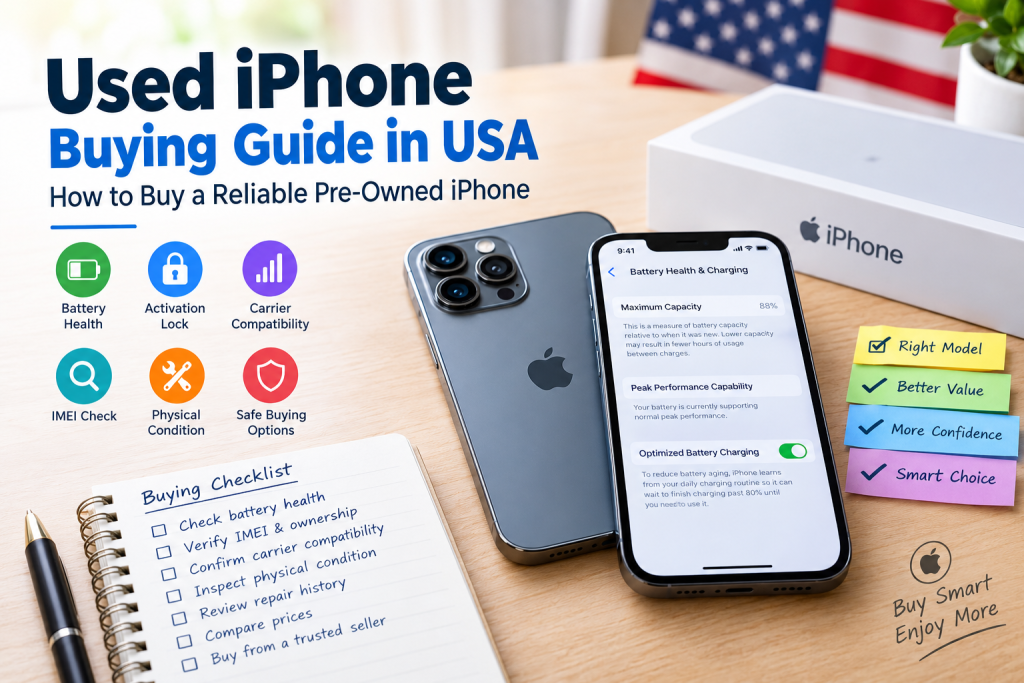
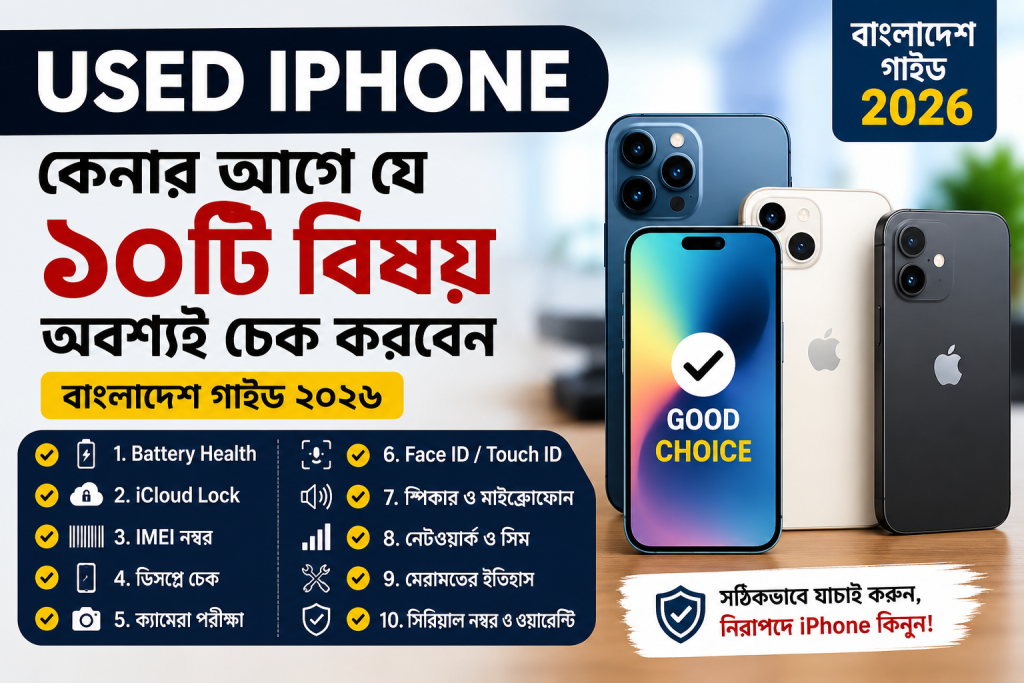
This used iPhone buying guide in USA explains how to choose the right model, evaluate a seller, inspect the phone, understand refurbished and used devices, and complete your purchase with confidence.
The key is simple: check the phone’s condition, ownership status, network compatibility, and total cost before paying.
1. Decide Which Used iPhone Model You Need


Before browsing listings, decide which features matter most to you. The newest available model is not automatically the best value for every buyer.
Consider your everyday needs
- Basic use: Calls, messaging, social media, browsing, and video streaming.
- Photography: Look for a model with the camera capabilities you actually need, such as optical zoom or improved low-light performance.
- Gaming and multitasking: Prioritize processing performance, memory, and battery condition.
- Long-term use: Check Apple’s current software compatibility list and consider how long you expect to keep the device.
- Budget-conscious shopping: Compare several generations instead of focusing exclusively on the latest release.
Compare models before choosing
| What to compare | Why it matters |
|---|---|
| Software support | Helps determine whether the phone can receive current iOS versions |
| Battery condition | Affects daily use and potential replacement costs |
| Camera features | Different models offer different photography capabilities |
| Storage capacity | Determines how much space you have for apps, photos, and videos |
| Physical condition | Damage can affect reliability and resale value |
| Purchase price | Must be considered alongside repair and accessory costs |
For example, someone who mainly uses messaging apps and takes casual photos may not need a Pro model. A buyer who frequently records video may benefit from comparing the camera systems and storage options of several models.
Tip: Verify current iOS compatibility directly with Apple’s official iPhone support resources before buying an older device.
2. Understand Used, Refurbished, and Renewed iPhones
These terms are not always interchangeable, and the seller’s description can affect your expectations.

Used iPhone
A previously owned device sold by an individual or retailer. Its condition, repair history, battery health, and included accessories can vary considerably.

Refurbished iPhone
A previously owned device that has undergone some form of inspection, testing, repair, or restoration. The exact process and warranty depend on the refurbisher.

Renewed or seller-certified iPhone
A label used by some marketplaces and retailers for pre-owned devices that meet their particular inspection or condition standards. Always read the program’s specific requirements.
Is refurbished better than used?
Not necessarily. A refurbished phone from a reputable seller may provide documented testing, a return window, and warranty coverage. A privately sold used iPhone may cost less but offer fewer protections.
Compare the actual benefits rather than relying on labels. Verify what was tested, whether replacement parts were used, how returns work, and who handles warranty claims.
Apple’s official Certified Refurbished store is one option to investigate, although its available inventory and terms may vary.
3. Check Battery Health Before Buying

Battery condition is one of the most important factors when purchasing a pre-owned iPhone. A battery with significant wear may require more frequent charging or eventual replacement.
How to check iPhone battery health
- Open Settings.
- Tap Battery.
- Select Battery Health & Charging on supported versions of iOS.
- Check Maximum Capacity and read any battery-related service messages.
- Ask whether the battery has been replaced and whether the seller has documentation.
Apple explains how to inspect battery health in its official pre-owned iPhone buying guide.
What battery health should you look for?
There is no single battery-health percentage that makes every used iPhone a good or bad purchase. Consider the displayed capacity alongside the phone’s age, asking price, battery messages, and your expected daily usage.
| Reported maximum capacity | What to consider |
|---|---|
| 90% or higher | May be attractive if the phone has no other significant issues |
| 85–89% | Compare against other listings and your expected usage |
| 80–84% | Consider potential replacement costs and negotiate accordingly |
| Below 80% | Investigate service needs and factor replacement into your budget |
These are practical comparison ranges, not official Apple buying standards or guarantees of battery performance.
Example: If two otherwise similar phones are available, but one has a noticeably more worn battery, compare the price difference with the cost of a potential battery replacement. The lower-priced device may not be the better value if it needs immediate service.
Also remember that battery-health information may be unavailable or incomplete for some replacement batteries. Do not rely on a single percentage without reading the accompanying messages.
4. Make Sure Activation Lock Is Turned Off
This is one of the most important checks in the entire buying process.
Activation Lock is designed to prevent someone else from activating an iPhone without the previous owner’s authorization. A device can look perfectly normal but still be unusable by a new owner.
How to check Activation Lock
- Ask the seller to back up any data they need and erase the iPhone.
- Begin setting up the device yourself, where possible.
- Confirm that setup does not request the previous owner’s Apple Account credentials.
- Do not pay for a device that remains linked to the previous owner.
If the screen displays iPhone Locked to Owner, the seller must resolve the issue before the sale. Do not accept promises that the lock can be removed later. Apple recommends avoiding Activation-Locked devices.
What if the seller refuses to erase the phone?
Treat this as a serious warning sign. A legitimate seller should be able to cooperate with a safe handover process, while protecting their personal information.
Do not attempt to bypass the lock or rely on third-party unlocking claims. Find another listing if the ownership issue cannot be resolved.
5. Verify Carrier Lock and Network Compatibility
In the United States, used iPhones may be sold unlocked or restricted to a particular wireless carrier.
An unlocked phone offers more flexibility, but it does not automatically guarantee compatibility with every carrier, plan, or network feature.
How to check carrier-lock status
On the iPhone:
- Open Settings.
- Tap General, then About.
- Find the Carrier Lock field.
- Look for No SIM restrictions if the device is advertised as unlocked.
This is Apple’s documented method for checking carrier-lock status.
Confirm compatibility with your carrier
Before purchasing, verify the exact model with your intended provider, such as AT&T, T-Mobile, or Verizon.
Check:
- Whether the device is compatible with the carrier’s network.
- Whether the carrier accepts the device’s IMEI.
- Whether the phone is eligible for activation on your intended plan.
- Whether it supports the SIM or eSIM configuration you need.
- Whether any carrier restrictions or outstanding device issues remain.
For a U.S. purchase, you can also use the CTIA Stolen Phone Checker to check whether a device has been reported lost or stolen to participating wireless providers. A clean result is helpful, but it does not prove ownership or guarantee future network eligibility.
Important: Carrier unlocking policies vary. If the device is locked, confirm the unlocking requirements with the carrier before purchasing it.
6. Inspect the Phone’s Physical Condition


used iPhone buying guide in USA
A few minutes of careful inspection can help identify problems that listing photos might not reveal.
Display and touchscreen
Check for:
- Cracks, deep scratches, and unusual discoloration.
- Dead pixels, flickering, or uneven brightness.
- Touchscreen areas that do not respond.
- Problems with Face ID or Touch ID, where supported.
Open a blank white screen and a dark image to help spot display irregularities. Test the entire touchscreen by typing and moving icons around.
Frame, back, and charging port
Look for dents, gaps, bent edges, and signs of liquid exposure or previous repairs. Inspect the charging port for visible damage and test charging with a compatible cable.
Cosmetic wear is not necessarily a deal-breaker, but physical damage may signal a need for further inspection.
Camera, speakers, and microphones
Take photos using both the front and rear cameras. Record a short video and play it back. Test the microphone, speakers, volume buttons, side button, Wi-Fi, Bluetooth, and vibration.
If possible, test Face ID or Touch ID and make a brief call.
A seller who allows a thorough inspection makes it easier to judge whether the phone matches the listing.
7. Review Parts and Service History
A used iPhone may have had its display, battery, camera, or another component replaced. A repair does not automatically make a device a bad purchase, but you should know what has been replaced and whether the phone functions correctly.
Where to find the repair information
- Open Settings.
- Tap General.
- Select About.
- Look for the Parts and Service History section, if available.
Depending on the model and software version, the section may identify replaced components and provide labels describing their status.
For example, an entry marked Genuine Apple Part indicates a replacement recognized as a genuine Apple part. An Unknown label can indicate several situations, including an unverified, previously used, improperly installed, or malfunctioning part. It does not, by itself, establish exactly what happened.
Apple explains these labels in its pre-owned iPhone inspection guidance.
Ask the seller about any repairs and request receipts when available. If the repair history is unclear, consider having the phone inspected by a qualified technician before buying it.
8. Check the IMEI and Ownership Information
The IMEI is a unique identifier used to identify a cellular device. Checking it can help you verify that the phone matches the seller’s information and investigate potential network restrictions.
What to do before paying
- Find the IMEI in Settings → General → About.
- Compare it with the identifier provided in the listing or documentation, where available.
- Check the IMEI through the CTIA Stolen Phone Checker or the relevant carrier.
- Ask for a receipt or written proof of purchase when available.
- Avoid sellers who provide contradictory device information or refuse reasonable verification.
Do not publish your IMEI unnecessarily in public listings or online discussions.
Remember: An IMEI check is not a complete ownership verification. A phone can have a clean status and still be Activation Locked, carrier-locked, or otherwise unsuitable for your needs.
9. Choose a Reliable Place to Buy a Used iPhone in the USA
Where you purchase the device can influence the level of protection available if something goes wrong.

Apple Certified Refurbished
Worth checking if you prefer Apple’s own refurbished products and clearly stated purchase terms. Confirm current inventory, warranty coverage, and the specific product description.
Website: Apple Refurbished Store

Established electronics retailers
Check retailers such as Best Buy for available pre-owned or refurbished devices. Confirm whether the specific item is sold by the retailer or a marketplace seller, and read the applicable return policy.
Website: Best Buy

Online resale marketplaces
Platforms such as Swappa may offer listings from individuals and businesses. Review the seller’s history, device details, payment protections, and dispute procedures before ordering.
Website: Swappa

Local private sellers
A private sale can allow you to inspect the device in person, but protection and return options may be limited. Meet in a safe public location and test the phone before transferring payment.
Questions to ask any seller
Before agreeing to buy, ask:
- What is the exact model and storage capacity?
- Is the phone unlocked, and has its IMEI been checked?
- What is the current battery-health reading?
- Has the phone ever been repaired or exposed to liquid?
- Is Activation Lock disabled?
- Is there a return window or warranty?
- What accessories are included in the sale?
Do not assume that every refurbished phone comes with the same warranty or that every marketplace offers the same buyer protection. Read the terms for the exact listing.
10. Compare Prices and Calculate the Real Cost
The cheapest listing is not always the best deal. Prices vary by model, storage capacity, condition, battery health, carrier restrictions, and seller protections.
Rather than relying on a single advertised price, compare several listings for the same model and storage configuration.
Calculate the total purchase cost
Use this simple formula:
\[ \begin{aligned} \text{Total Cost} ={}& \text{Purchase Price}\\ &+ \text{Sales Tax}\\ &+ \text{Repairs}\\ &+ \text{Essential Accessories} \end{aligned} \]
Depending on the transaction, you may also need to account for shipping or activation-related costs.
For example, imagine you are comparing two used iPhones:
| Expense | Phone A | Phone B |
|---|---|---|
| Purchase price | $300 | $340 |
| Estimated repairs | $60 | $0 |
| Accessories | $15 | $15 |
| Subtotal before tax | $375 | $355 |
These are hypothetical figures for illustration, not current market prices. In this example, Phone B costs less overall despite having the higher advertised price.
Before buying, check current listings and confirm any repair estimates with a qualified service provider.
Step-by-Step Guide to Buying a Used iPhone in the USA
Follow these steps from initial research to final payment.
Your buying checklist
1. Set your budget
Decide your maximum total cost, including potential repairs and sales tax.
2. Choose a model
Compare features, storage, software compatibility, and expected usage.
3. Research the seller
Read reviews, inspect listing details, and check return and warranty terms.
4. Verify the device
Check the IMEI, carrier status, Activation Lock, and reported repair history.
5. Inspect the hardware
Test the display, cameras, battery, charging, buttons, speakers, and microphones.
6. Confirm the final price
Compare the complete cost with other similar devices.
7. Complete the handover
Ensure the device is erased and ready for activation, then pay using a traceable method.
8. Test immediately after purchase
Check all functions and document any discrepancies before the return window expires.
Common Mistakes to Avoid When Buying a Used iPhone
Even experienced shoppers can overlook important details when they focus too much on price or appearance.
- Buying a locked device: Never assume the previous owner will remove Activation Lock later.
- Ignoring battery condition: A worn battery may add to the cost of ownership.
- Trusting photos alone: Request current images and inspect the actual device when possible.
- Assuming unlocked means compatible: Verify the exact model with your wireless carrier.
- Skipping the repair history: Undisclosed or poorly documented repairs can create uncertainty.
- Ignoring return policies: Know the deadline and requirements for reporting a problem.
- Paying before testing: Complete the important checks before handing over money.
- Overlooking storage: A lower-capacity model may not suit someone who stores large photo libraries or records lots of video.
A seller who pressures you to pay immediately or refuses basic verification is a reason to walk away.
Frequently Asked Questions (FAQs)
1. Is buying a used iPhone worth it in the USA?
It can be, especially if you find a device in good condition at a price meaningfully below a comparable new or refurbished model. The value depends on battery condition, software compatibility, repair history, seller protections, and the total cost.
2. What is the safest place to buy a used iPhone?
Apple’s Certified Refurbished store is worth considering for buyers who want a refurbished device sold directly by Apple. Established retailers and reputable resale marketplaces are other options. Always verify the terms for the particular device and seller.
3. What battery health is good for a used iPhone?
Higher battery capacity generally means less battery wear, but there is no universal minimum that guarantees a good purchase. Check service messages, replacement history, expected usage, and potential repair costs before deciding.
4. How can I tell if a used iPhone is unlocked?
Go to Settings, select General, and tap About. If Carrier Lock says No SIM restrictions, the phone is unlocked. Confirm compatibility with your intended carrier before purchasing.
5. How do I check whether a used iPhone is stolen?
Use the CTIA Stolen Phone Checker to check whether the IMEI has been reported lost or stolen to participating providers. Also verify that the seller can legitimately transfer ownership and that Activation Lock is disabled. No single check guarantees that a phone has a clear ownership history.
6. Can I buy a used iPhone that has been repaired?
Yes, provided the device works properly, the repair history is understood, and the price reflects its condition. Review Parts and Service History when available, and ask for repair documentation if possible.
7. Should I buy a used iPhone with 64GB of storage?
It depends on your needs and the exact model. Lower storage may be sufficient for light users who rely on cloud storage, while people who download media, keep large photo libraries, or record high-resolution videos may need more. Check the available storage before buying.
8. Do used iPhones come with a warranty?
Not always. Warranty coverage depends on the device, remaining manufacturer coverage, seller terms, and any applicable protection plan. Verify coverage and exclusions before paying rather than assuming a used phone includes a new warranty.
9. Can I use a used iPhone with any US carrier?
Not necessarily. Carrier locking, model compatibility, SIM or eSIM support, and carrier-specific requirements can affect activation. Verify the exact device with your intended provider.
10. What should I do if a used iPhone arrives in worse condition than advertised?
Document the condition with photos or video, retain the listing and seller communications, and contact the seller or marketplace promptly. Follow the stated return or dispute procedure before the deadline expires.
Final Thoughts
A used iPhone can be a sensible purchase when you choose carefully and verify the details before paying. The best deal is not necessarily the phone with the lowest price or the cleanest appearance. It is the device that meets your needs, works with your carrier, has a manageable battery condition, and comes with a clear path to ownership and activation.
Use this used iPhone buying guide in USA as a checklist when comparing listings. Prioritize Activation Lock removal, battery health, network compatibility, physical condition, repair history, and return protection. Then compare the total cost rather than the advertised price alone.
Taking a little extra time to inspect a phone can help you avoid an expensive mistake and make a more informed buying decision.