Introduction: Android 17 Beta 3 Is Here – Why It Matters
Every year, Android evolves—not just with flashy features but with deeper improvements that shape how billions of people interact with their devices. With Android 17 Beta 3, we’re now entering the most refined stage before the final release.
Unlike early previews, Beta 3 is where things start getting serious. This version is closer to what users will eventually experience globally. It’s stable enough for testing, polished enough to showcase major features, and critical for developers preparing apps for the next Android generation.
But what exactly makes Android 17 Beta 3 special?
Let’s dive deep into everything—from performance upgrades to AI enhancements, from privacy improvements to real-world usability.
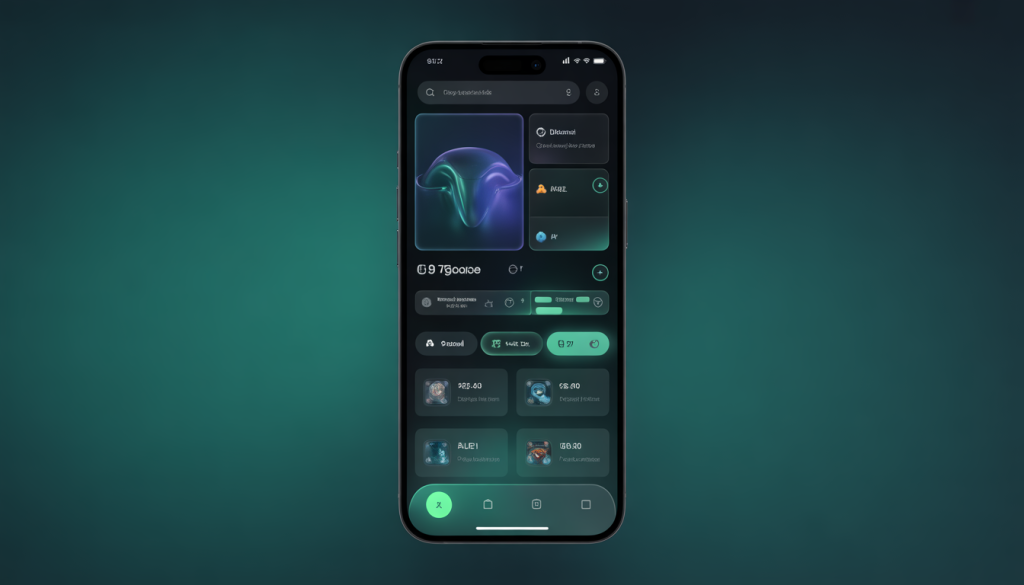
What Is Android 17 Beta 3?
Android 17 Beta 3 is the third beta release in the Android 17 development cycle. It marks a “platform stability” milestone, meaning:
- Core APIs are finalized
- App behavior is mostly locked
- Developers can optimize apps without worrying about major changes
In simple terms, Android 17 Beta 3 is no longer experimental—it’s nearly production-ready.
Android 17 Beta Timeline (Quick Overview)
Understanding where Beta 3 fits helps you see the bigger picture:
| Phase | Purpose |
|---|---|
| Developer Preview | Early testing & experimentation |
| Beta 1 | Initial public features |
| Beta 2 | Feature expansion |
| Beta 3 | Platform stability |
| Beta 4 | Final testing |
| Stable Release | Public rollout |
👉 Beta 3 is the turning point—where Android 17 transitions from “testing phase” to “almost ready.”
Key Features of Android 17 Beta 3
1. Performance Boost: Faster, Smoother, More Efficient
Performance is one of the biggest highlights of Android 17 Beta 3.
What’s Improved?
- Faster app startup times
- Reduced background resource usage
- Better RAM management
- Improved system responsiveness
Real-Life Impact
Instead of flashy changes, you’ll notice:
- Apps open instantly
- Less lag when switching apps
- Smoother scrolling
- Better performance on older devices
👉 This is especially important for mid-range and budget smartphones.
2. Battery Life Optimization: Smarter Power Management
Battery life is always a major concern—and Android 17 Beta 3 takes a smarter approach.
Key Enhancements
- Improved background app restrictions
- Adaptive battery learning improvements
- More efficient CPU usage
- Reduced wake locks
What It Means for You
- Longer standby time
- Less battery drain overnight
- Better performance without sacrificing battery
3. Privacy and Security Upgrades
Android has been heavily focused on privacy in recent years, and Android 17 continues that trend.
New Privacy Features
- More granular permission controls
- Better background location restrictions
- Improved microphone and camera indicators
- Enhanced app data transparency
Why It Matters
Users now have:
- More control over what apps can access
- Better visibility into data usage
- Stronger protection against malicious apps
👉 Android is becoming more privacy-focused—closer to modern security standards.
4. User Interface (UI) Improvements
Android 17 Beta 3 doesn’t drastically change the design—but it refines it beautifully.
UI Enhancements
- Smoother animations
- Improved gesture navigation
- Cleaner notifications panel
- Better multitasking visuals
Subtle But Important
These aren’t “headline features,” but they improve:
- Daily usability
- Visual fluidity
- Overall user satisfaction
5. AI and Smart Features
Artificial Intelligence is becoming deeply integrated into Android.
What’s New?
- Smarter predictive suggestions
- Context-aware app recommendations
- Improved voice recognition
- Faster on-device AI processing
Real-World Use
Your phone will:
- Suggest apps based on habits
- Improve typing predictions
- Offer smarter replies in messages
👉 AI is becoming invisible—but incredibly useful.
6. App Compatibility Improvements
With platform stability achieved, developers can now fine-tune apps.
Developer Benefits
- Stable APIs
- Improved debugging tools
- Better performance metrics
- Optimized background processes
User Benefits
- Fewer app crashes
- Better compatibility
- Faster updates after launch
7. Improved Gaming Performance
Android 17 Beta 3 enhances gaming experience significantly.
Gaming Upgrades
- Better GPU optimization
- Reduced frame drops
- Improved thermal management
- Lower latency
What Gamers Will Notice
- Smoother gameplay
- Less overheating
- More consistent frame rates
8. Enhanced Notifications System
Notifications are now smarter and less intrusive.
Improvements
- Better grouping of notifications
- Cleaner layout
- More control over alerts
- Priority-based sorting
9. Connectivity and Network Enhancements
Android 17 improves connectivity reliability.
Key Upgrades
- Faster Wi-Fi switching
- Better mobile data management
- Improved Bluetooth stability
Android 17 Beta 3 Supported Devices
Typically, beta versions are available for:
- Google Pixel devices (primary)
- Selected partner brands (limited rollout)
Devices include:
- Pixel 6 and newer
- Pixel Fold / Tablet (if supported)
👉 Wider availability comes with the final release.
Should You Install Android 17 Beta 3?
Who Should Install It?
✔ Developers
✔ Tech enthusiasts
✔ Android testers
Who Should Avoid It?
❌ Primary phone users
❌ Business users
❌ Non-technical users
Pros and Cons of Android 17 Beta 3
Pros
- Early access to new features
- Improved performance
- Better battery optimization
- Stronger privacy controls
Cons
- Potential bugs
- App compatibility issues
- Occasional crashes
- Not fully stable
Android 17 vs Android 16: What’s New?
| Feature | Android 16 | Android 17 Beta 3 |
|---|---|---|
| Performance | Good | Improved |
| Battery | Standard | Optimized |
| Privacy | Strong | Enhanced |
| AI Features | Basic | Advanced |
| UI | Stable | Refined |
👉 Android 17 focuses more on refinement than reinvention.
Expected Release Date of Android 17
Based on previous Android release patterns:
- Beta 3 → Mid-cycle
- Beta 4 → Final testing
- Stable Release → Late Q3 / Early Q4
👉 Expect Android 17 stable version within a few months.
Tips Before Installing Android 17 Beta 3
Before you install:
1. Backup Your Data
Always back up photos, contacts, and files.
2. Check Device Compatibility
Ensure your device supports the beta.
3. Expect Bugs
Even stable betas can have issues.
How Android 17 Beta 3 Improves Everyday Life
Let’s humanize this.
You wake up. Your phone:
- Lasts longer on battery
- Opens apps instantly
- Suggests what you need before you search
- Protects your privacy silently
That’s what Android 17 Beta 3 is really about—not flashy features, but better daily experience.
FAQs About Android 17 Beta 3
1. Is Android 17 Beta 3 stable?
Yes, it’s much more stable than earlier versions but still not perfect.
2. Can I use it as my daily driver?
Possible—but not recommended.
3. Will Android 17 improve performance?
Yes, significantly—especially on mid-range devices.
4. Is Android 17 better for battery life?
Yes, thanks to improved power management.
5. When will Android 17 be officially released?
Expected within a few months after Beta 3.
Final Verdict: Is Android 17 Beta 3 Worth It?
Android 17 Beta 3 is not about big visual changes—it’s about making Android smarter, faster, and more reliable.
It shows that Android is maturing:
- Performance is better
- Privacy is stronger
- AI is smarter
- Experience is smoother
If you’re a developer or tech enthusiast, it’s absolutely worth exploring.
For everyone else? The final release will be worth the wait.