How to Check IMEI and Mobile Phone Registration in Bangladesh
Buying a new smartphone is exciting—until you start wondering whether the phone is actually legitimate, whether its IMEI is valid, or whether it will work properly on Bangladeshi mobile networks.
This is especially important when buying a phone from an online seller, local shop, or individual. A handset may look completely genuine from the outside but still have issues related to its IMEI number, registration, import status, or network compatibility.
Fortunately, checking your phone’s IMEI is relatively simple.
In Bangladesh, the Bangladesh Telecommunication Regulatory Commission (BTRC) maintains systems related to handset IMEI verification and mobile-device identification. BTRC has also developed the National Equipment Identity Register (NEIR) framework to help identify mobile handsets operating on the country’s networks.
In this guide, we’ll explain how to check IMEI in Bangladesh, how to verify mobile phone registration, how to check a phone before buying it, what to do if the IMEI doesn’t match, and what precautions you should take when purchasing an unofficial or imported smartphone.
What Is an IMEI Number?
IMEI stands for International Mobile Equipment Identity.
It is a unique identification number associated with a mobile handset. Most phones have a 15-digit IMEI number.
Think of the IMEI as your phone’s identification number. Your mobile number identifies your SIM subscription, while the IMEI identifies the device itself.
For example:
IMEI: 352XXXXXXXXXXXX
A smartphone with two SIM slots may display two separate IMEI numbers, usually:
- IMEI 1
- IMEI 2
Both numbers can be important when checking a dual-SIM smartphone.
Why Is IMEI Checking Important in Bangladesh?
Checking the IMEI isn’t just a technical exercise. It can save you from problems after purchasing a phone.
An IMEI check can help you identify whether the device information appears consistent with the handset and whether the device is recognized in the relevant regulatory system.
This becomes particularly important when buying:
- Used smartphones
- Imported phones
- Unofficial phones
- Second-hand iPhones
- Second-hand Samsung phones
- Xiaomi, Redmi, Realme, OPPO or vivo phones
- HONOR or TECNO smartphones
- Phones purchased from Facebook Marketplace
- Phones purchased from individual sellers
- Expensive flagship smartphones
BTRC’s IMEI-related systems are designed to support handset identification and the verification of legally imported mobile devices. BTRC documentation also describes measures involving IMEI databases and equipment identity registration.
How to Find Your Phone’s IMEI Number
There are several easy ways to find an IMEI.
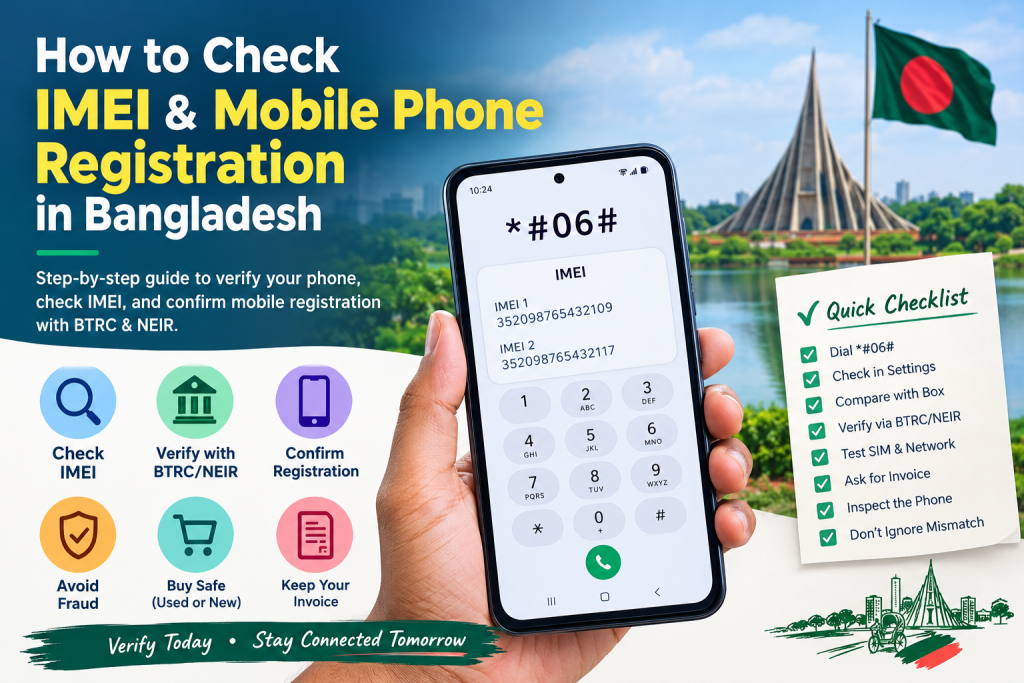
Method 1: Dial *#06#
The quickest method is to open your phone’s dialer and enter:
*#06#
Your phone should immediately display its IMEI number or numbers.
If your smartphone supports two SIMs, you may see two IMEI numbers.
Important
Write down both IMEI numbers if your phone has two SIM slots.
Method 2: Check Android Settings
On many Android smartphones, you can find the IMEI by going to:
Settings → About Phone → Status / IMEI Information
The exact menu can vary depending on the manufacturer.
For example, the option may appear under:
Settings → About Phone → Detailed Info and Specs → Status
or simply:
Settings → About Phone → IMEI
The wording differs between Samsung, Xiaomi, Redmi, HONOR, TECNO, OPPO, vivo, Realme and other Android brands.
Method 3: Check an iPhone
On an iPhone, go to:
Settings → General → About
Scroll down until you find:
IMEI
For an iPhone with multiple cellular identifiers, you may see more than one relevant number.
You can also find the IMEI on the device’s original packaging if the box is available.
How to Check IMEI in Bangladesh
After finding your IMEI number, the next step is to verify it through the appropriate BTRC/NEIR service.
The important point is that you should use official BTRC channels rather than random third-party IMEI-checking websites.
BTRC has historically used SMS-based IMEI verification, including the format:
KYD [space] 15-digit IMEI
sent to the designated BTRC verification number. BTRC documentation describes this system as a way to determine whether a handset imported legally and purchased locally can be found in the IMEI database.
Because government service procedures and short codes can change, check the current instructions published by BTRC/NEIR before submitting an SMS.
Example format
If your IMEI were:
123456789012345
the SMS format would be:
KYD 123456789012345
Use the currently published BTRC/NEIR destination number when sending the request.
How to Check Mobile Phone Registration in Bangladesh
Mobile phone registration and IMEI verification are related but shouldn’t be confused with SIM registration.
There are two different things:
SIM registration
This concerns the person or organization registered as the subscriber of a mobile SIM.
Handset registration
This concerns the mobile device and its IMEI.
So, having a properly registered SIM does not automatically mean that every handset is properly registered in the handset identification system.
The purpose of an equipment identity system such as NEIR is to identify handsets and help control devices that do not meet applicable requirements. BTRC’s published material describes NEIR as a system intended to provide handset registration and control network access for identified devices.
How to Check IMEI Before Buying a New Phone
If you’re buying a smartphone from a shop, don’t simply pay first and check later.
Take a few minutes to verify the handset.
Step 1: Check the IMEI on the phone
Dial:
*#06#
Record the IMEI number.
Step 2: Check the phone settings
Go to:
Settings → About Phone
Find the IMEI.
Step 3: Check the box
Look at the IMEI printed on the original box or label.
Step 4: Compare the numbers
The IMEI displayed by the phone should correspond with the relevant IMEI information on the packaging and documentation.
If the numbers don’t match, stop and ask the seller for an explanation before completing the purchase.
What If the IMEI on the Phone and Box Don’t Match?
This is one of the biggest warning signs when buying a used or unofficial phone.
Suppose the phone shows:
IMEI: 123456789012345
but the box shows:
IMEI: 987654321098765
Don’t ignore the difference.
There can be legitimate explanations in some situations—for example, a replacement device may have different packaging history—but you should not assume everything is fine.
Ask the seller to explain the discrepancy and verify the device through official channels.
For a new phone, an unexplained IMEI mismatch is a good reason to reconsider the purchase.
How to Check a Used Phone’s IMEI
Buying a second-hand smartphone requires more caution.
Before handing over your money, perform the following checks.
1. Dial *#06#
Record every IMEI shown.
2. Check Settings
Confirm that the IMEI shown in the system matches.
3. Check the original box
If the seller provides the box, compare the numbers.
4. Verify the IMEI through BTRC/NEIR
Use the current official verification method.
5. Test both SIM slots
If the phone is dual-SIM, test both slots where practical.
6. Check network connectivity
Make a call and test mobile data.
7. Ask for proof of purchase
For an expensive phone, an original invoice can be very useful.
8. Check whether the device has been modified
Be cautious if the seller mentions that the phone has had its IMEI “fixed,” “changed,” or “reprogrammed.”
An IMEI should not be casually altered.
What Does an Invalid or Unrecognized IMEI Mean?
If a verification system doesn’t recognize an IMEI, don’t immediately assume that the phone is fake.
There can be several possible reasons, including:
- Data has not been updated yet
- The device was recently imported
- The handset was not properly registered
- The IMEI was entered incorrectly
- There is a database or processing issue
- The handset may have an import or regulatory problem
- The IMEI may be duplicated or otherwise problematic
BTRC has specifically addressed the importance of preventing duplicate IMEIs in mobile networks.
The best approach is to verify the number carefully and contact the seller or relevant authority if the problem remains.
What Is a Duplicate IMEI?
A duplicate IMEI means that the same IMEI identifier is associated with more than one device.
This can be a serious warning sign.
Every handset should have its appropriate device identification information. BTRC’s cellular-mobile-phone guidelines state that operators must have mechanisms relating to IMEI barring and that duplicate IMEIs should not be allowed in their networks.
If you discover a suspicious duplicate IMEI, don’t try to solve the issue by changing the IMEI yourself.
Instead, preserve your purchase documents and contact the seller and appropriate authority.
Can You Change an IMEI Number?
You may find websites, videos, or technicians claiming they can change an IMEI.
This is not something an ordinary smartphone buyer should attempt.
An IMEI is intended to identify the handset. Manipulating or replacing device identification information can create regulatory, technical and ownership problems.
If your phone has an IMEI-related problem, the safer route is to contact the manufacturer, authorized service provider, seller, mobile operator or BTRC through the appropriate official channel.
How to Check a Phone Before Buying from Facebook Marketplace
Facebook Marketplace and other online marketplaces can be useful places to find used smartphones, but you need to be particularly careful.
Here’s a practical checklist.
Before meeting the seller
Ask for:
- Phone model
- IMEI number
- Purchase invoice
- Condition of the phone
- Whether it is official or unofficial
- Whether the phone has ever been repaired
- Whether the phone has been imported
- Whether the box is available
During the meeting
Check:
Phone IMEI → Settings IMEI → Box IMEI → Verification result
If something doesn’t make sense, don’t rush.
A cheap smartphone isn’t necessarily a bargain if you later discover network or registration problems.
Official vs Unofficial Phones in Bangladesh
One of the most common questions among Bangladeshi smartphone buyers is:
“Is an unofficial phone safe to buy?”
The answer depends on the particular handset and its regulatory status.
An unofficially imported smartphone may be genuine and function normally, but its import and registration status still matters.
The safest approach is to verify the phone before purchasing rather than relying solely on the seller’s statement.
BTRC maintains processes for handset importation and IMEI verification. Its citizen charter describes IMEI verification as part of the handset import-related process.
Does IMEI Checking Tell You Whether a Phone Is Original?
Not necessarily.
This is an important distinction.
An IMEI check primarily concerns the device’s identification and registration information. It should not be treated as a complete authenticity test for every component of a smartphone.
For example, an IMEI check alone cannot guarantee that:
- The display is original
- The battery is original
- The motherboard has never been replaced
- The phone has never been repaired
- The camera module is original
- The phone is not refurbished
- Every component matches the original factory configuration
For a used phone, combine IMEI verification with a physical and software inspection.
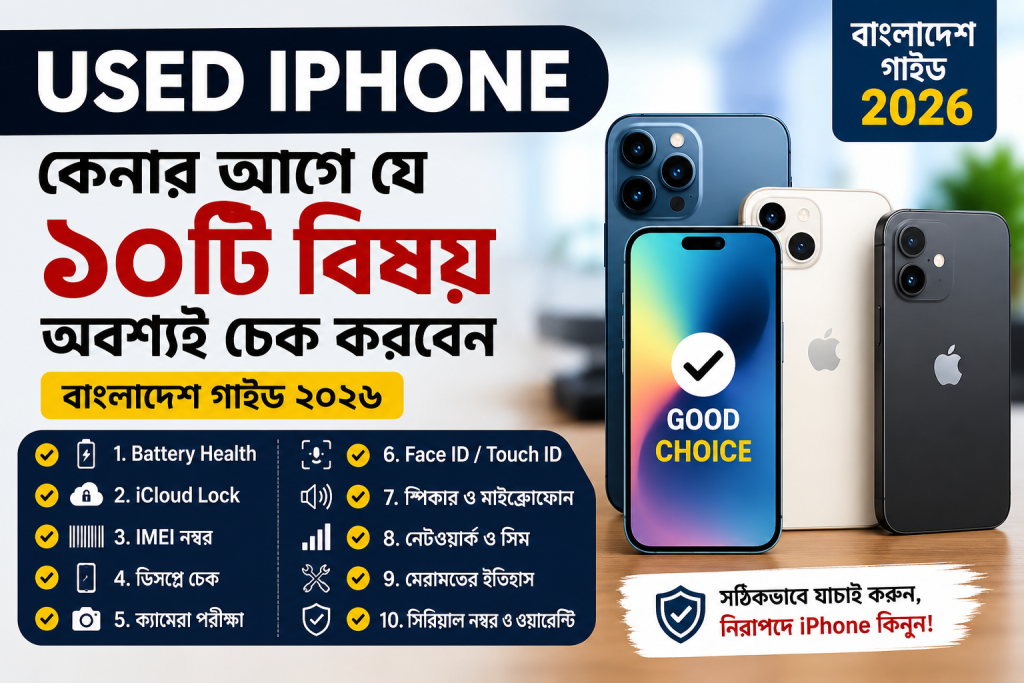
How to Check Whether a Used iPhone Is Safe to Buy
If you’re purchasing a second-hand iPhone in Bangladesh, IMEI verification should be only one part of your inspection.
Also check:
Apple ID / Activation Lock
Make sure the previous owner has properly removed the device from their account.
Battery Health
Go to:
Settings → Battery → Battery Health & Charging
Parts and Service History
On supported iPhones, check:
Settings → General → About
Look for available parts/service information.
Face ID or Touch ID
Test the biometric authentication system.
Cameras
Test front and rear cameras.
Display
Look for dead pixels, unusual color or touch problems.
Network
Insert a SIM and test calls and mobile data.
And, of course, verify the IMEI through the relevant Bangladeshi system.
How to Check a Used Android Phone
For Samsung, Xiaomi, Redmi, HONOR, TECNO, OPPO, vivo, Realme and other Android phones, check:
- IMEI
- Serial number
- Model number
- SIM functionality
- Wi-Fi
- Bluetooth
- Camera
- Speaker
- Microphone
- Fingerprint sensor
- Face unlock
- Charging
- Battery condition
- Display
- Touch response
- Software version
Most importantly, compare the phone’s IMEI information with the available packaging and purchase documentation.
What Should You Do If Your Phone Has an IMEI Problem?
Don’t panic.
First, write down the exact IMEI displayed by your phone.
Then:
- Take a screenshot of the IMEI.
- Photograph the phone’s box if available.
- Keep your purchase invoice.
- Record the seller’s information.
- Verify the IMEI through the current official BTRC/NEIR procedure.
- Contact the seller if the information doesn’t match.
- If necessary, submit a complaint through the appropriate BTRC channel.
BTRC operates an online complaint system where consumers can submit complaint information and identify the relevant operator and category.
Common IMEI Checking Mistakes to Avoid
Mistake 1: Checking only the box
A box can be swapped or mismatched.
Always check the actual phone.
Mistake 2: Checking only the phone
The phone’s software information should also be compared with available documentation.
Mistake 3: Trusting the seller blindly
A seller saying “Don’t worry, everything is official” is not the same as verification.
Mistake 4: Using random IMEI websites
Third-party websites may provide incomplete or outdated information.
Use official BTRC channels whenever possible.
Mistake 5: Ignoring an IMEI mismatch
An unexplained mismatch deserves attention.
Mistake 6: Paying before checking
For a second-hand phone, verify first and pay afterward.
Is IMEI the Same as Serial Number?
No.
They are different identifiers.
IMEI
Identifies the mobile communication equipment.
Serial Number
Identifies the particular device according to the manufacturer’s internal product identification system.
You may find both numbers under:
Settings → About Phone
or on the original packaging.
IMEI vs SIM Number: What’s the Difference?
These three identifiers are often confused.
| Identifier | What it identifies |
|---|---|
| IMEI | Mobile handset |
| SIM/mobile number | Subscriber’s mobile service number |
| Serial number | Manufacturer/device identification |
For example, if you move your SIM card to another phone, your mobile number generally remains the same, but the phone’s IMEI changes.
Frequently Asked Questions About IMEI in Bangladesh
1. How can I check my phone’s IMEI?
Dial *#06# on most mobile phones. You can also find it under the phone’s settings.
2. How many digits is an IMEI?
A standard IMEI normally contains 15 digits.
3. Does a dual-SIM phone have two IMEIs?
Usually, yes. Dual-SIM devices commonly have separate IMEI numbers for the two cellular interfaces.
4. Can I check IMEI without the SIM card?
Yes. You can generally view the IMEI without inserting a SIM by dialing *#06# or checking the device settings.
5. Can I check an IMEI before buying a phone?
Yes. Ask the seller for the IMEI and verify it before completing the purchase.
6. What if the IMEI on the box is different?
Ask the seller for an explanation and verify the device through official channels before buying.
7. Is an unofficial phone automatically fake?
No. “Unofficial” generally refers to how the phone entered the local market; it does not automatically mean the physical handset is counterfeit. However, its regulatory and registration status should be checked.
8. Can IMEI tell me whether a phone is refurbished?
Not by itself. IMEI verification should be combined with physical inspection and manufacturer-specific checks.
9. Can an IMEI be duplicated?
Yes, duplicate IMEI situations can occur, which is one reason equipment identity systems are important.
10. Should I change a problematic IMEI?
No. Don’t attempt to manipulate the IMEI yourself. Contact the seller, manufacturer/service provider or appropriate authority.
11. Can I use the same IMEI on two phones?
You should not attempt to do this. IMEI duplication can create serious technical and regulatory problems.
12. Does changing the SIM change the IMEI?
No. The SIM and IMEI are separate identifiers.
13. Can I find the IMEI on the phone box?
Usually, yes. The IMEI is commonly printed on the product label.
14. Can I find an IMEI on an iPhone?
Yes. Go to Settings → General → About.
15. Can I find an IMEI on Android?
Yes. You can usually find it by dialing *#06# or through Settings → About Phone.
16. Is an IMEI check enough when buying a used phone?
No. Also check the display, battery, camera, charging port, network, account locks, repair history and overall physical condition.
17. What should I do if an IMEI isn’t recognized?
First, make sure you entered the 15-digit number correctly. Then follow the current BTRC/NEIR guidance or contact the relevant authority or seller.
18. Is IMEI verification useful for phones purchased online?
Yes. In fact, it can be especially useful when purchasing from an unfamiliar seller.
19. Should I keep the purchase invoice?
Absolutely. Keep the invoice, box and seller information whenever possible, especially for expensive smartphones.
20. Where can I complain about a telecom-related problem?
BTRC provides an online complaint system for consumer complaints.
Final IMEI Checklist for Bangladeshi Smartphone Buyers
Before purchasing a phone, especially a used or unofficial handset, remember this simple checklist:
✓ Dial *#06#
✓ Record every IMEI
✓ Check IMEI in Settings
✓ Compare with the box
✓ Verify through the current BTRC/NEIR process
✓ Check the SIM/network
✓ Ask for the original invoice
✓ Inspect the phone physically
✓ Be careful with suspiciously cheap phones
✓ Don’t ignore an IMEI mismatch
✓ Don’t attempt to modify the IMEI yourself
Final Thoughts
Checking an IMEI takes only a few minutes, but those few minutes can save you from a much bigger headache later.
Whether you’re buying a brand-new Samsung, an iPhone, a Xiaomi or Redmi device, a TECNO or HONOR smartphone, or a second-hand handset from an individual seller, IMEI verification should be part of your buying routine in Bangladesh.
The golden rule is simple:
Don’t just ask whether the phone is original or official—verify it yourself.
Check the IMEI on the handset, compare it with the available documentation, and use the current official BTRC/NEIR verification procedure.
And remember that IMEI verification is only one part of a complete phone inspection. For used devices, also check the physical condition, battery, display, cameras, account locks, repair history and network functionality.
A few minutes of checking today can save you from an expensive problem tomorrow.